Skip to tool

AI Minecraft mod maker for custom items and blocks

Give your next adventure an item or block of its own. The AI Minecraft mod maker turns a brief into editable definitions, then lets you adjust properties, right click behaviors and recipes before downloading a Fabric mod for Java 1.21.1.

Loading your tools…
MOD WORKSHOP01
ITEMS & BLOCKS · 2 / 24
Cost1 credit
Local draft
YOUR MOD STUDIO02

Emerald Wand

emerald_explorer:emerald_wand

An emerald building block and a speed wand for your next adventure.

Your color becomes a 16 × 16 pixel texture in the exported mod. New items are available through /give and your recipes.

Minecraft Java 1.21.1 · JDK 21 · Fabric Loader + Fabric API. Supports custom items, placeable blocks, simple right-click effects, and shapeless recipes. Entity AI and arbitrary visual scripts are not supported.

See an AI Minecraft mod maker idea become usable

Start with a small set of items, blocks and intended effects. The AI Minecraft mod maker gives you editable definitions to review, so the name, appearance and behavior can work together before export.

Mod idea

Create an emerald wand item. On use, apply a speed boost for 10 seconds. Use emerald and stick as its shapeless crafting ingredients.
Make your mod

Editable mod definitions

{
  "id": "emerald_wand",
  "name": "Emerald Wand",
  "kind": "item",
  "color": "#56e199",
  "maxStack": 1,
  "hardness": 2,
  "behavior": "speed",
  "power": 1
}

How the AI Minecraft mod maker works

Make your mod

Describe the items and their purpose

Tell the AI Minecraft mod maker what players should receive, how the items look and which supported right click effect each one needs.

Review properties, behaviors and recipes

Select each item or block, adjust its values and review the recipe ingredients. Keep identifiers and effects clear before building the download.

Export and test the mod

Download the Fabric JAR and optional source ZIP. Install matching Minecraft, Java, Fabric Loader and Fabric API versions before testing in a backup world.

Keep control after the AI Minecraft mod maker generates

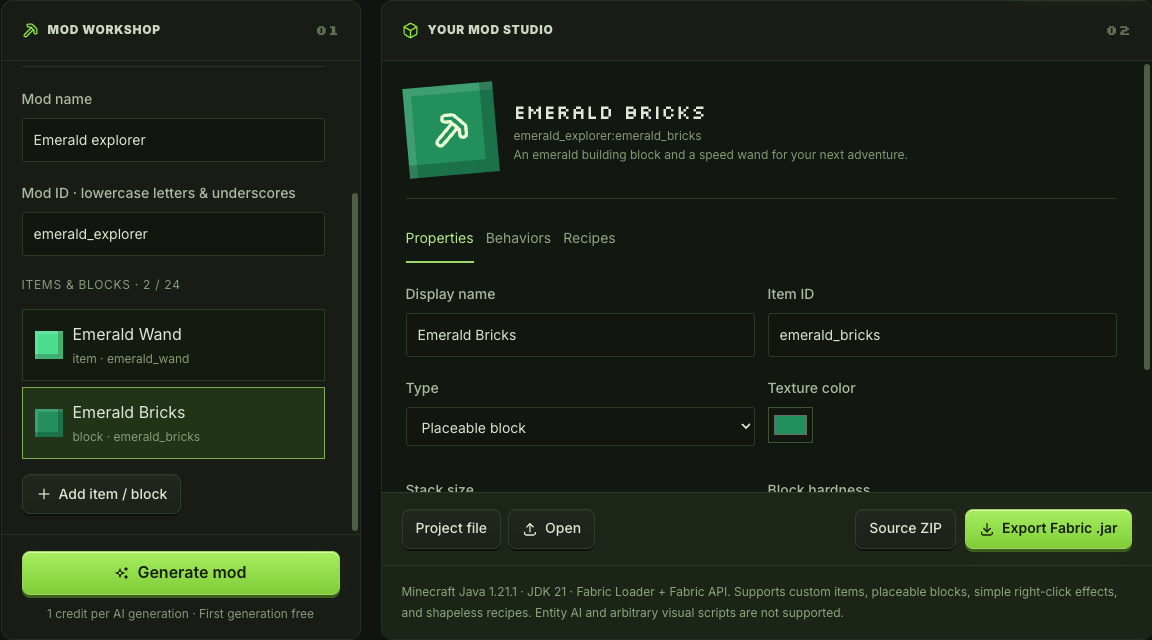
Emerald Bricks block properties with identifier, color and hardness

Turn the first draft into your own mod

The AI Minecraft mod maker opens its result as editable entries. Rename items or blocks, choose colors for simple pixel textures and adjust stack sizes or block hardness. Review each entry before exporting the current mod.

Edit your mod
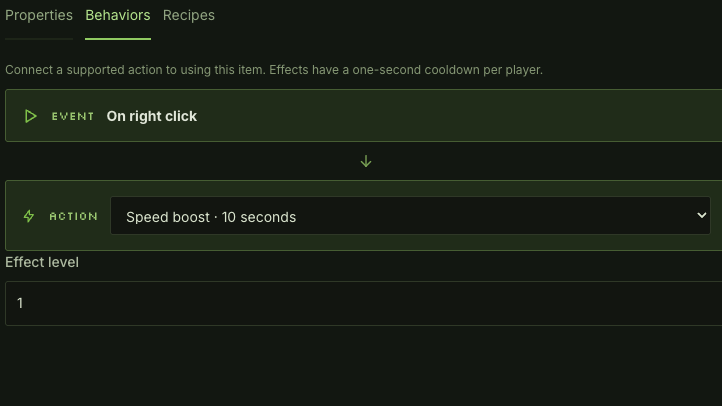
Mod behavior editor with a selected right click effect and effect level

Choose behaviors players can understand

Use the behavior and recipe views to connect an item to its purpose. The AI Minecraft mod maker supports speed, jump, healing and particle effects with bounded settings, plus crafting recipes that refer to the mod entries you define.

Review the behaviors

Why use an editable AI Minecraft mod maker

A small mod becomes easier to reason about when its entries, recipes and effects are visible. Keep the AI Minecraft mod maker focused on a clear set of additions for your world.

Begin with a playable idea

Start from a brief about an exploration item or decorative block. Define what players should receive, then use the editor to refine the generated entries.

Review effects before export

Inspect supported effects and properties in the editor. The AI Minecraft mod maker shows each choice alongside the definitions you will export.

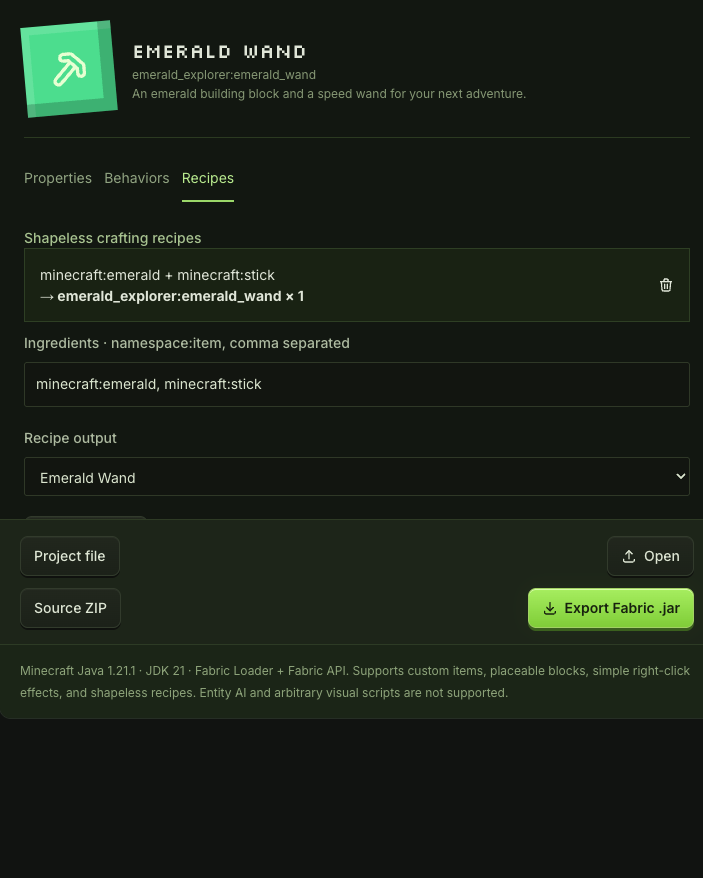
Emerald Wand shapeless recipe with emerald and stick ingredients

Keep manual revisions free

Adjust entries and recipes without another AI submission. Generation costs one credit; manual editing and exports remain free as you refine the same project.

Take source with your result

Download the JAR for installation and the source ZIP for inspection or further development. Save the editable project to continue refining the same mod later.

AI Minecraft mod maker questions

mcmaker logo

Open the AI Minecraft mod maker

Describe a small set of additions, review how they work and export a mod you can keep refining for your next adventure.

Make your mod