Skip to tool

Minecraft text generator for PNG titles and chat

Style a server announcement, video title or banner with pixel lettering. The Minecraft text generator previews colors, depth and outlines as you edit, then exports a PNG or prepares a Java chat command.

Loading your tools…
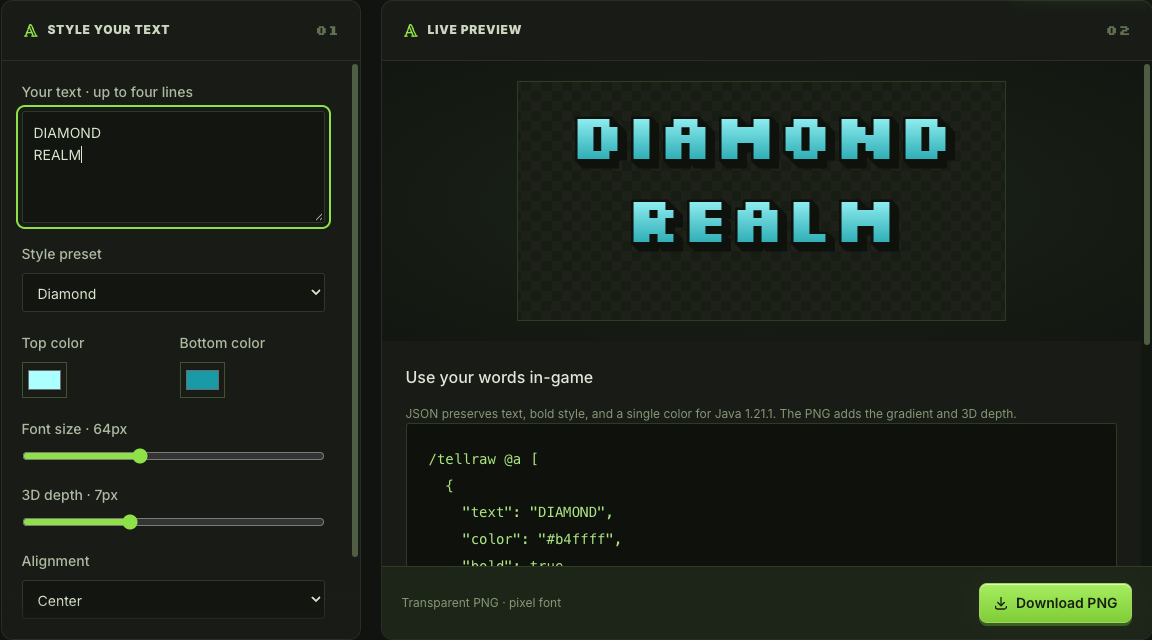
STYLE YOUR TEXT01
LIVE PREVIEW02

Use your words in-game

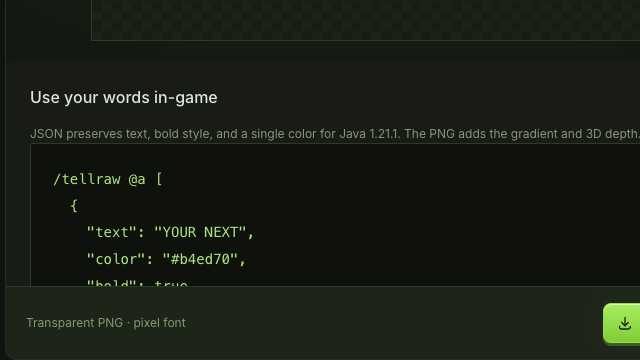
JSON preserves text, bold style, and a single color for Java 1.21.1. The PNG adds the gradient and 3D depth.

/tellraw @a [
  {
    "text": "YOUR NEXT",
    "color": "#b4ed70",
    "bold": true
  },
  {
    "text": "\n"
  },
  {
    "text": "ADVENTURE",
    "color": "#b4ed70",
    "bold": true
  }
]
Transparent PNG · pixel font

See the Minecraft text generator style your words

Compare your words with the styled title, then adjust the Minecraft text generator colors, depth and spacing to fit a banner, thumbnail or announcement graphic.

Your words

YOUR NEXT
ADVENTURE

Classic grass preset · 64 px · 7 px depth
Transparent background · PNG export
Style your text

Styled title

YOUR NEXT ADVENTURE in green pixel lettering with dark outlines and depth

How to use the Minecraft text generator

Style your text

Write a short, readable title

Enter up to four lines and 120 characters in the Minecraft text generator. Use line breaks to group the words that belong together.

Choose the look and alignment

Pick a style preset, adjust both gradient colors and set the size, depth, outline and alignment while watching the live preview.

Download or copy the right output

Download the title as a PNG for an image layout, or copy the Java tellraw command when you need the words in chat.

Shape your Minecraft text generator output

Minecraft text generator controls showing a gradient title and dark outline

Balance color, depth and readability

Start with grass, diamond, Nether, gold, Ender or stone colors, then change the gradient endpoints to suit your design. The Minecraft text generator shows depth and a dark outline together, helping you judge whether the title remains readable.

Try the title styles
Separate Java tellraw JSON output for entered text

Choose an image or an in game message

Use a transparent PNG when the title needs to sit over a thumbnail or banner. For Java chat, the Minecraft text generator also prepares a tellraw command. The command carries the words and one color, rather than the image’s gradient and depth.

Preview your words

Make the title fit its destination

Use the Minecraft text generator to arrange line breaks, compare backgrounds and choose the output that fits your design, whether you need an image or a Java chat message.

Arrange a compact headline

Break a long name into meaningful lines. The Minecraft text generator supports left, center and right alignment so the title can fit its surrounding artwork.

Keep the background flexible

Download with transparency for an existing layout, or choose a background color. The Minecraft text generator lets you preview that choice before saving the image.

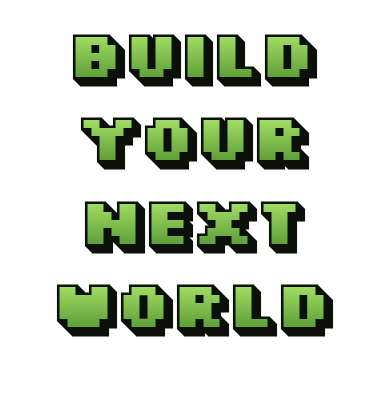
Green pixel lettering reading BUILD YOUR NEXT WORLD

Compare styles as you type

The preview updates from your current settings. Change the palette or depth to compare alternatives immediately, then keep the version that fits your artwork.

Create without spending credits

Text styling, PNG downloads and command copying are free. The Minecraft text generator runs in your browser, so these actions need no account or generation credits.

Minecraft text generator questions

mcmaker logo

Try your Minecraft text generator title

Type the words for your next project, find a readable style and download an image that is ready to place in your layout.

Style your text